Safari shows Translate only when language, region, and compatibility allow it; its page list is shorter than iOS system-wide Translate, so Swedish, Danish, Norwegian, and Finnish aren't offered. Use BelliedMonkey for bilingual side-by-side (currently free, no account).
Why doesn't Safari offer to translate this page on my iPhone? Safari only shows Translate when the page's language and your region are supported and the page is compatible; Apple's list of Safari page-translation languages is shorter than iOS's system-wide translation list, so languages like Swedish, Danish, Norwegian and Finnish aren't offered as of October 2026.
Can Safari translate Swedish (or Danish, Norwegian, Finnish) web pages on iPhone? Safari's built-in page translation doesn't list those languages as of October 2026, but a translation extension such as BelliedMonkey Translator can translate pages in those languages into English and 12 other languages, using its free Google route that auto-detects the source language.
Currently free. No account needed.
When Translate is missing or grayed out in Safari on iPhone or iPad, it usually isn't a broken setting. Apple and MacRumors document several supported reasons. Language lists below are as of 2026-10-20 — re-check Apple's feature-availability page; lists change.
| Cause | What the source says | Source (checked 2026-10-20) |
|---|---|---|
| Language not on Safari page translation | Apple lists Safari Web Page Translation for 19 languages: Arabic, Chinese (Simplified), Chinese (Traditional), Dutch, English, French, German, Indonesian, Italian, Japanese, Korean, Polish, Portuguese (Brazil), Russian, Spanish, Thai, Turkish, Ukrainian, Vietnamese. | Apple feature availability |
| Region | Translation is “not available in all languages or regions”. | Apple Support |
| Page not compatible | If the option isn't shown, “the webpage either isn't compatible with Safari's translation feature or the language isn't supported”. | MacRumors |
| Target not in Preferred Languages | Safari offers translation based on Preferred Languages; add more in Settings → General → Language & Region → Add Language. | Same MacRumors guide |
| Page already in device language | The option may not appear when the device language matches the page (secondary source). | e.g. iGeeksBlog |
| iOS 27 language changes | Users reported announced languages (including Swedish and Danish) missing around release. As of 2026-10-20, Apple lists Danish, Finnish, Norwegian Bokmål and Swedish under System-Wide Translation but not under Safari Web Page Translation. | User reports; Apple feature availability |
Safari's web page translation covers those 19 languages. Swedish, Danish, Norwegian, Finnish (and others outside the list) will not get whole-page Translate — even when the same language appears under iOS system-wide Translate.
Apple's region caveat applies if Translate never appears for any foreign page. A missing option can also mean the page isn't compatible (try another URL in the same language). Adding a preferred reading language helps when the source language is supported but your target wasn't listed — it does not add Nordic languages to Safari's page-translation source list.
If the page language matches your device language, Translate may not appear. That is expected behaviour reported by secondary how-tos.
Some users reported that newly announced languages did not show as expected at iOS 27 release. Separately, Apple's public lists (2026-10-20) still put Nordic languages under system-wide Translate but not Safari Web Page Translation. We note the lists and the reports; we do not speculate why Apple structures them differently.
These help when Safari can support the language. They do not expand Safari's page-translation list for Nordic sources.
When the built-in option stays missing — especially for Nordic-language pages — BelliedMonkey's Safari extension shows a bilingual side-by-side view: each paragraph keeps the original, with the translation underneath. That is not replacing the page text in place.
Available on iPhone and iPad, on any site. Original stays visible; translation sits under each paragraph so you can check meaning as you read.
Related (live): Immersive Translate alternative for Safari.
On the free Google route, BelliedMonkey auto-detects the source language. Pages in those languages can be translated into any of its 13 targets. No quality claims for free-credit LLM routes on Nordic sources — only the free Google route is stated for that case.
Into: Simplified Chinese, Traditional Chinese, English, Japanese, Korean, French, German, Spanish, Arabic, Portuguese, Russian, Italian, Thai.
Not targets: Swedish, Danish, Norwegian, Finnish. BelliedMonkey can translate from those languages into the 13 above; it does not translate into them.
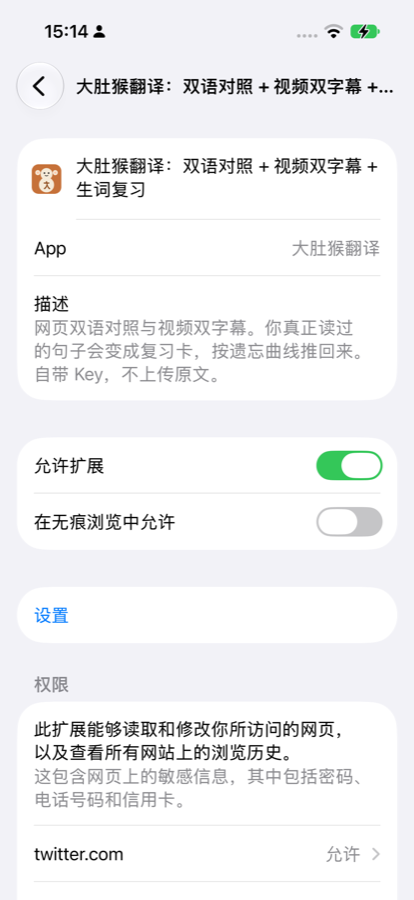
Verified on iPhone 14 Pro (system language: Simplified Chinese), 2026-10-28 Asia/Shanghai. Steps use the on-device Chinese UI labels, with English glosses. Install BelliedMonkey Translator from the App Store first if it isn't on the phone yet.
Final list state: both BelliedMonkey rows show 打开 (On).
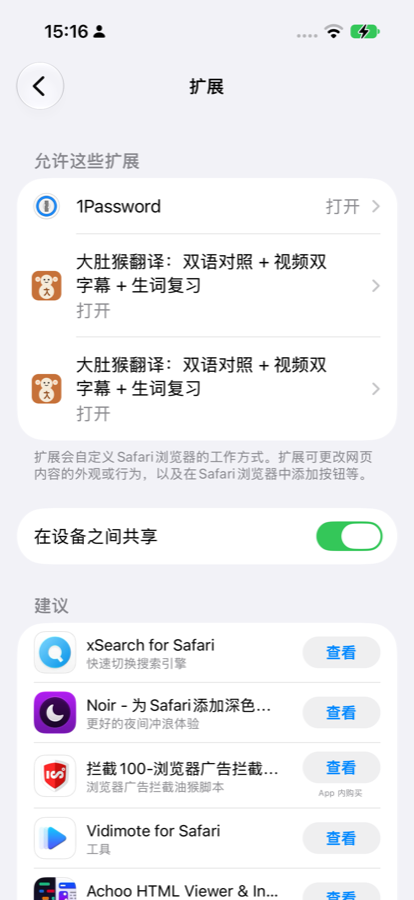
baidu.com).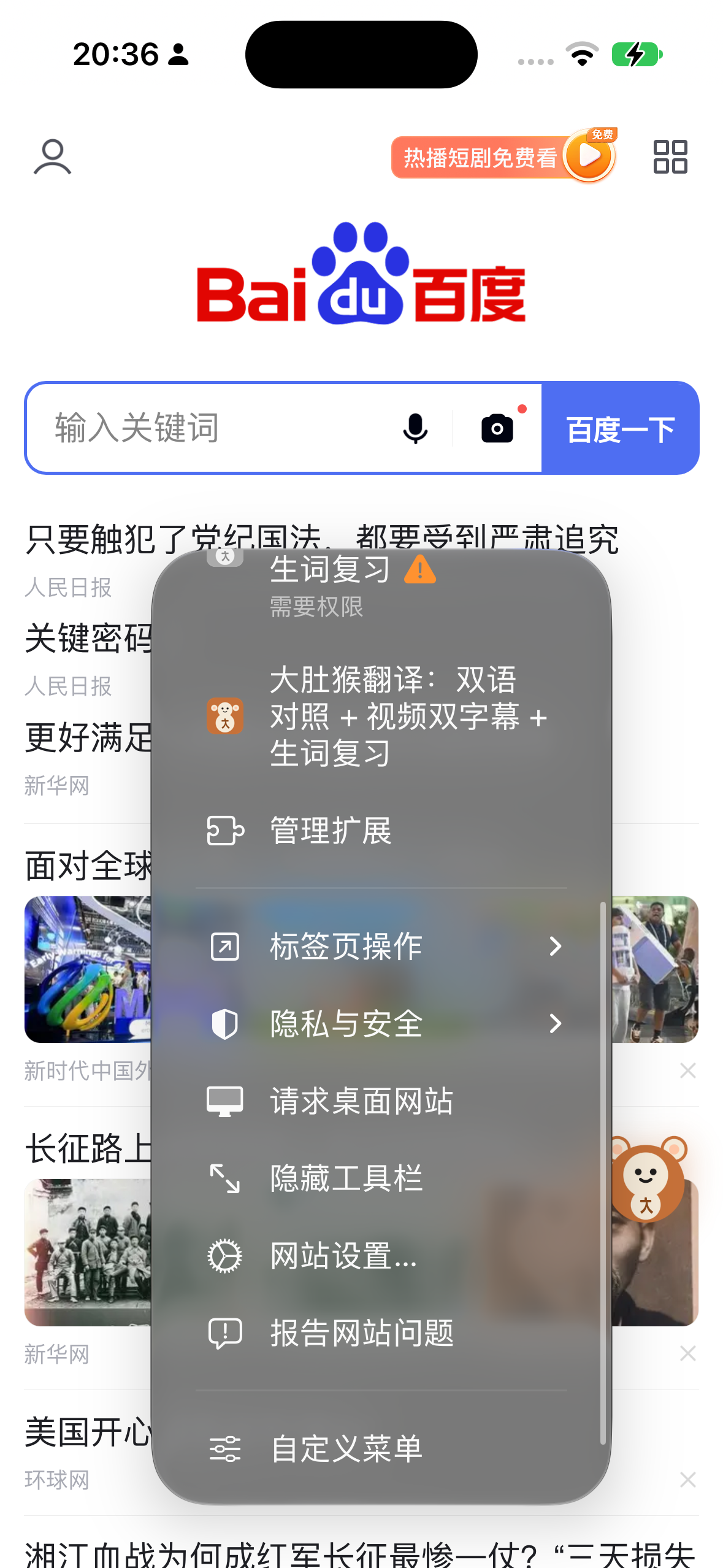
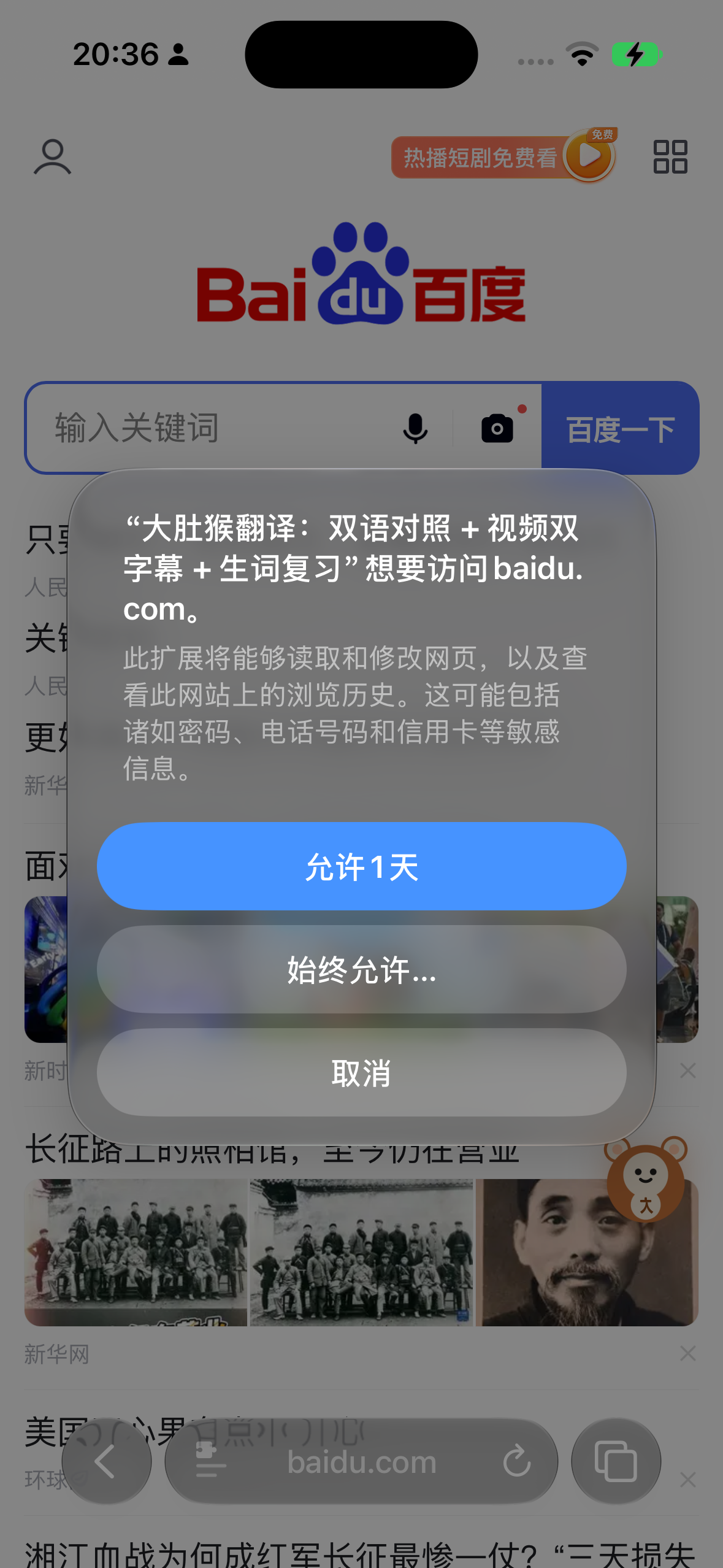
After permission, a BelliedMonkey floating button (monkey icon) appears on the page — that is the verified “enabled” signal from this capture. Opening the extension panel may show that a translation engine key is not configured yet; the full bilingual side-by-side translation layer needs an engine set up. Use the float and the panel as proof the extension is active. Do not treat the float alone as a finished bilingual page.

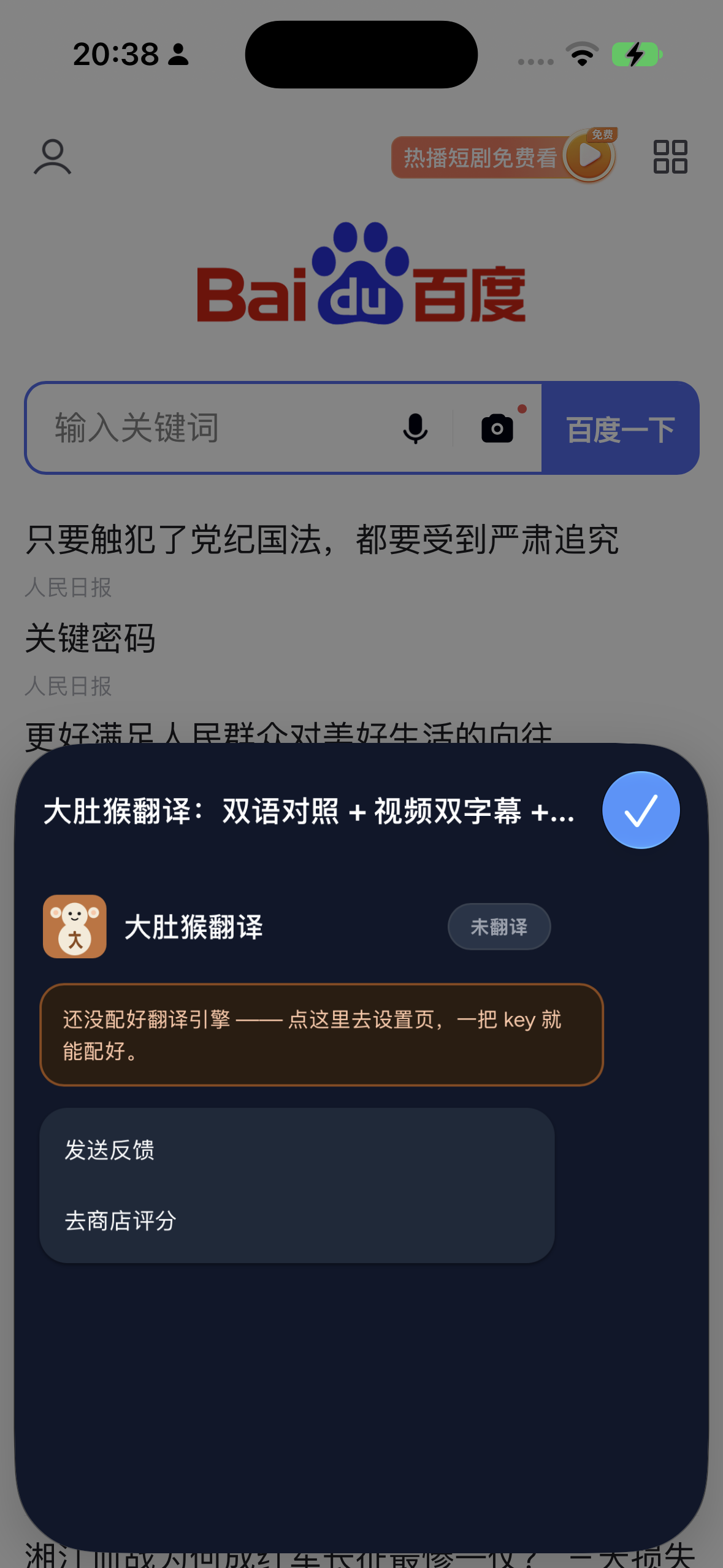
Not covered in this capture: a separate check of iOS system 翻译 (Translate) / select-text Translate for Swedish inside Safari. That optional comparison stays unconfirmed. Do not recommend it as a daily workflow from this HowTo alone.
| Safari built-in page translation | iOS system-wide Translate (select text) | BelliedMonkey Safari extension (iPhone/iPad) | |
|---|---|---|---|
| Translates whole page | Yes, when supported | No — selected text (confirm on device) | Yes — bilingual side-by-side |
| Source includes Swedish / Danish / Norwegian / Finnish | Not listed (Apple, as of 2026-10-20) | Listed: Danish, Finnish, Norwegian Bokmål, Swedish (Apple, as of 2026-10-20) | Yes — free Google route auto-detects source |
| Target languages | Your preferred languages, if supported | Per Apple's list | 13 listed above |
| Translate into Swedish / Danish / Norwegian / Finnish | Not listed | Listed | No |
| Keeps original visible | Translated page; “View Original” switches back (MacRumors) | n/a | Yes — original and translation together |
| Cost / account | Built in | Built in | Currently free; no account needed |
| Region limits | “Not available in all languages or regions” (Apple) | Per Apple's list | Not stated here |
Footnote: Apple details from feature availability and Apple Support, checked 20 Oct 2026; lists change.
Usually: page language not on Safari's 19-language list; region limits; page incompatible; preferred reading language missing; or page already matches device language. See the causes table (sources checked 2026-10-20).
As of 2026-10-20, Apple lists 19 for Safari Web Page Translation (see table). Re-check Apple's page; lists change.
Built-in page translation does not list Swedish (or Danish, Norwegian, Finnish) as of 2026-10-20. BelliedMonkey can translate those pages into its 13 targets via the free Google route (auto-detect source).
No. Bilingual side-by-side: original stays, translation underneath.
The 13 above. Not into Swedish, Danish, Norwegian or Finnish.
Currently free. No account needed. Optional sign-in adds a small free credit. Own-key usage is billed by your provider.
Yes. Safari extension on iPhone and iPad.
iPhone and iPad. Currently free. No account needed. Read the original and the translation together.
Product page: belliedmonkey.cc.
Also see: A free Immersive Translate alternative for Safari.